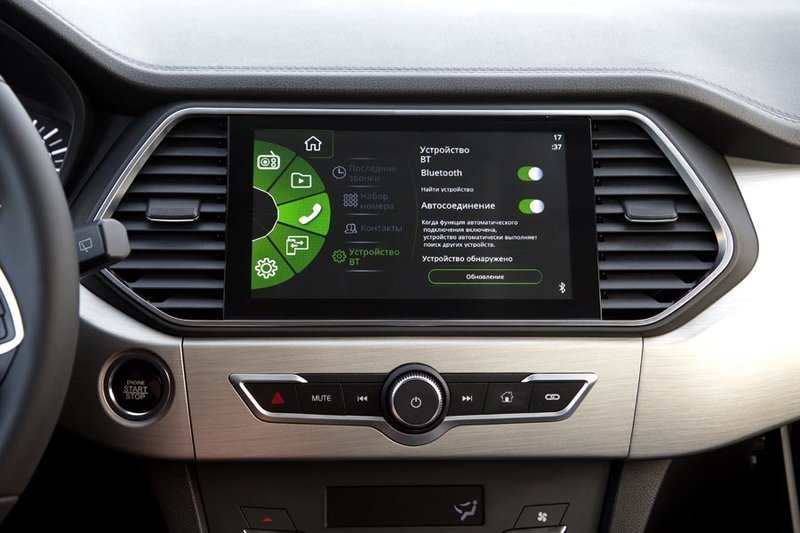
Music’s playing, then silence. The call drops mid-sentence. Your dashboard shows “disconnected” for the third time this week. When Bluetooth keeps disconnecting in your car, it’s maddening — but it’s almost always one of a handful of fixable causes. The Bluetooth SIG publishes compatibility resources if you suspect a standards mismatch. Here’s the diagnostic order that actually works.
Bluetooth keeps disconnecting in your car? Fix 1: the clean re-pair
Corrupted pairing profiles are the #1 cause. Don’t just reconnect — nuke it from both sides:
- On your phone: Settings → Bluetooth → tap the (i) next to your car → Forget This Device.
- In your car’s infotainment: delete your phone from its paired devices list.
- Restart your phone.
- Re-pair from scratch, accepting all prompts (contacts, messages, audio).
This resolves the majority of chronic disconnects. Bluetooth pairing data corrupts more often than anyone admits, especially after phone OS updates.
Fix 2: Check for phone OS and car firmware updates
Bluetooth dropouts that “started after an update” are a classic. Check both directions: update your phone’s OS, and check your car manufacturer’s site/app for infotainment firmware updates — many cars get them via USB or over-the-air now. Mismatched Bluetooth protocol versions between an updated phone and an ancient car system cause exactly these symptoms.
Fix 3: Battery optimization is killing the connection (Android)
Android’s aggressive battery saver can suspend Bluetooth background processes. Go to Settings → Apps → Bluetooth (or your music app) → Battery → set to Unrestricted. Also check that Battery Saver mode isn’t on — it throttles Bluetooth aggressively. iPhone users: this is less common, but Low Power Mode can contribute.
Fix 4: Interference from other devices
Bluetooth shares the 2.4 GHz band with WiFi, and your car is a metal box full of electronics. Common interferers:
- WiFi hotspot in the car fighting Bluetooth for spectrum — if your car has built-in WiFi, try turning it off. For internet on the road, sharing your phone’s internet beats car WiFi anyway.
- Dash cams and radar detectors with their own wireless links.
- Multiple paired phones fighting for the connection — the car may be flip-flopping between your phone and your passenger’s. Delete old pairings from the car’s memory.
- USB cables and chargers — cheap unshielded chargers emit RF noise. If disconnects started with a new car charger, that’s your suspect.
Fix 5: Too many paired devices in the car’s memory
Car systems have limited pairing slots (often 5–8). When full, they behave erratically — dropping current connections, failing to auto-connect. Go into the car’s Bluetooth settings and delete every old phone (the ex’s, the rental from 2021, all of them). Then re-pair yours fresh.
Fix 6: Reset network settings on the phone
Settings → General → Transfer or Reset → Reset → Reset Network Settings (iPhone) or Settings → System → Reset → Reset WiFi, mobile & Bluetooth (Android). This clears all Bluetooth pairings and network configs — the deep clean when re-pairing alone didn’t cut it. You’ll re-enter WiFi passwords, so have them handy.
Fix 7: Check the car’s battery and electrical system
Weird but real: a weak car battery causes voltage fluctuations that reset the infotainment Bluetooth module — especially noticeable at startup or when the auto start-stop kicks in. If disconnects cluster around engine start/stop, get the 12V battery tested (most auto parts stores do it free).
Fix 8: App-specific vs. system-wide?
Diagnose precisely: does Bluetooth drop for everything (calls + music + system), or just one app? If Spotify drops but calls are fine, it’s the app — clear its cache, reinstall it. If everything drops, it’s the Bluetooth link itself. This distinction saves you from fixing the wrong thing.
Fix 9: When it’s the hardware
If none of this works across multiple phones, the car’s Bluetooth module itself may be failing — not uncommon in 8+ year old vehicles. Options: a dealer module replacement ($200–$500, ouch), or a $30–$50 aftermarket Bluetooth-to-AUX/FM adapter that bypasses the car’s system entirely. The adapters are inelegant but brutally effective.
Preventing future dropouts
- Keep the phone’s OS and the car’s firmware updated together.
- Don’t let the car’s paired-device list fill up with ancient phones.
- Use a quality car charger — the $8 gas-station special isn’t worth the interference.
- If your car supports both Bluetooth and CarPlay/Android Auto, the wired versions are dramatically more stable. A cable ends this entire category of problem. For calls specifically, a decent pair of long-battery earbuds beats shouting over road noise.
Wireless CarPlay/Android Auto vs. plain Bluetooth
Many newer cars offer wireless CarPlay or Android Auto, which uses WiFi for the heavy lifting with Bluetooth only for the initial handshake. If your car supports it, wireless CarPlay/AA is generally more stable than plain Bluetooth audio — but it introduces its own dropout causes: phone WiFi must stay on, VPNs can interfere, and some cars’ implementations are buggy (check for infotainment updates). If wireless CarPlay drops constantly while plain Bluetooth is fine, try forgetting the CarPlay pairing and using Bluetooth audio only — you lose the fancy interface but gain reliability. And remember the ultimate stable option: a wired USB connection, which charges the phone and never drops.
The bottom line
When Bluetooth keeps disconnecting in your car, start with a full forget-and-repair on both sides, update everything, check Android battery optimization, and clear old pairings from the car’s memory. That sequence fixes the vast majority of cases — and if it doesn’t, a $40 Bluetooth adapter or a wired CarPlay/Android Auto cable ends the saga for good.