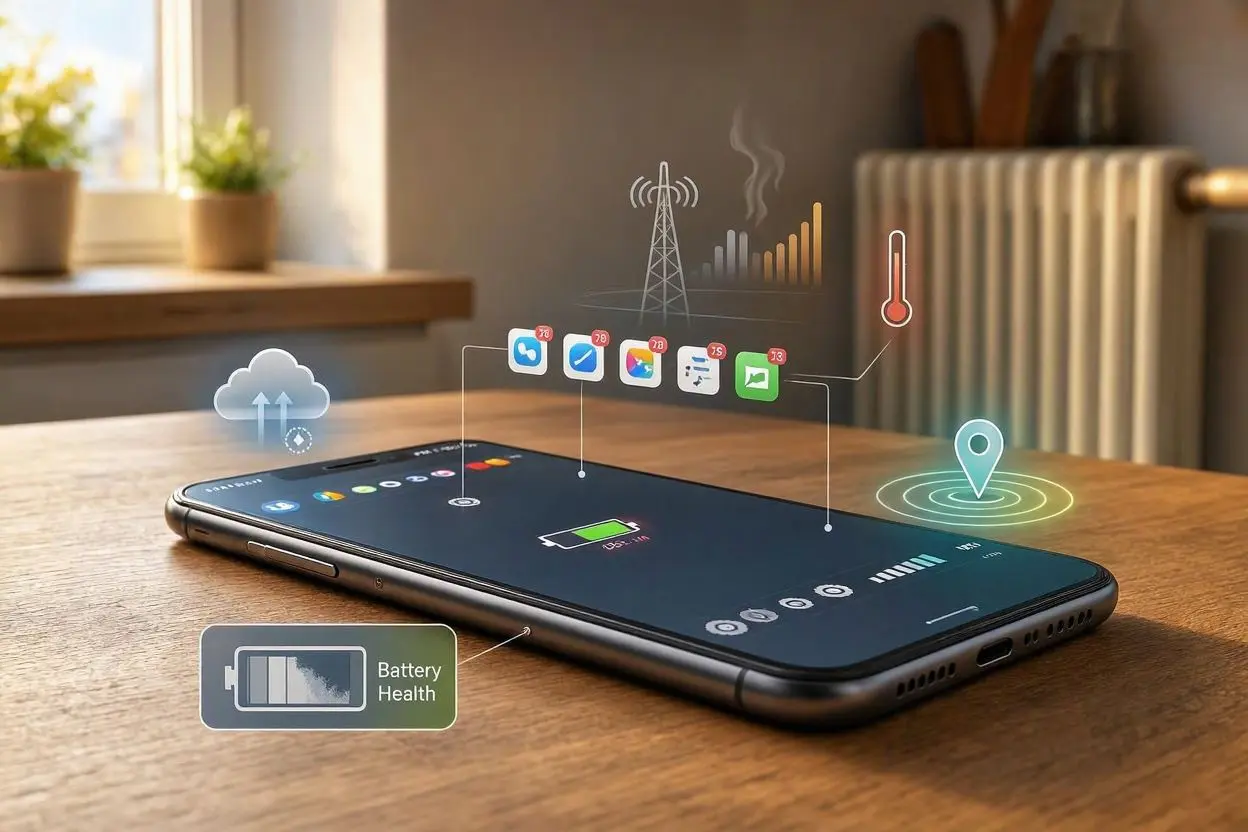
If your phone battery is draining fast even when you are not using it, the most common reasons are background apps, weak mobile signal, location services, automatic syncing, high screen settings, or an aging battery. Some apps continue running in the background and use power even when your screen is off. Checking battery usage, limiting background activity, turning off unnecessary location features, and keeping your phone updated can often fix the problem.
Why Is My Phone Battery Draining So Fast When I’m Not Using It?
A phone should use some battery while it is idle, but a large drop can mean something is working in the background. Here are the most common causes.
1. Apps Are Running in the Background
Some apps keep checking for new messages, updates, locations, or other information even when you are not actively using them.
Social media, video, shopping, navigation, and messaging apps can sometimes use a noticeable amount of battery.
What to do:
Open your phone’s Battery settings and check which apps have used the most power. Restrict background activity for apps that you rarely use.
2. Your Phone Has a Weak Signal
Your phone may use more power when the mobile signal is weak. It keeps searching for a stronger connection, which can drain the battery faster.
This is especially common in areas with poor indoor coverage or when traveling between areas with different network signals.
What to do:
If you are somewhere with very poor reception and do not need cellular service, consider using Airplane Mode temporarily.
3. Location Services Are Always On
GPS and location services can use battery when apps repeatedly request your location.
You may not notice this because the apps can request location while the screen is off.
What to do:
Review which apps have location access. Set unnecessary apps to Never, Ask Next Time, or Only While Using, depending on your phone.
4. Automatic Syncing Is Using Power
Email, cloud storage, contacts, photos, and other services may continuously sync in the background.
If you have many accounts connected, your phone may perform frequent background checks.
What to do:
Remove accounts you no longer use and reduce unnecessary syncing. Also check whether photo or cloud backups are repeatedly running.
5. Your Battery Is Getting Old
Phone batteries naturally lose capacity over time. An older battery may drain much faster than it did when the phone was new.
If your phone has been used heavily for several years, battery health may be the main reason.
What to do:
Check your phone’s battery health or battery condition feature, if available. If the battery has significantly degraded, replacing it may improve battery life.
6. Your Phone Is Too Hot
Heat can increase battery drain and can also affect long-term battery health.
Leaving your phone in direct sunlight, inside a hot car, or under heavy workload can cause it to become warm.
What to do:
Keep the phone away from excessive heat. Remove unnecessary background tasks and avoid placing it somewhere that traps heat while charging.
7. Automatic Updates and Downloads
Your phone may download app updates, system updates, photos, or other files automatically.
These activities can use battery, especially when combined with mobile data.
What to do:
Check your update and download settings. If your phone is constantly downloading something, identify the service responsible.
8. Push Notifications Are Keeping the Phone Active
Every notification can wake your phone or trigger background activity.
A large number of notifications from different apps can contribute to unnecessary battery use.
What to do:
Turn off notifications for apps that do not need to alert you immediately.
9. A Software Problem May Be Causing Battery Drain
Sometimes a bug or failed process can make an app or system service use more power than normal.
This can happen after an app update or system update.
What to do:
Restart your phone and make sure your operating system and apps are updated. If the problem started after installing a particular app, check whether that app is responsible for unusual battery use.
How to Find What Is Draining Your Battery
The easiest way to find the problem is to check your phone’s built-in battery report.
On most phones, go to:
Settings → Battery → Battery Usage
Look for apps or services that have used an unusually large percentage of your battery.
If an app you barely use appears near the top, it may be running too much in the background.
How to Stop Your Phone Battery From Draining Overnight
If your phone loses a lot of battery while you sleep, try these steps:
- Check battery usage before going to bed.
- Close or restrict apps with unusual background activity.
- Turn off unnecessary Bluetooth and location services.
- Use Wi-Fi when available.
- Reduce unnecessary notifications.
- Restart your phone.
- Keep your phone updated.
- Use Airplane Mode if you do not need calls or mobile data overnight.
A small amount of overnight battery loss is normal. A sudden or unusually large drop deserves further investigation.
When Should You Replace Your Phone Battery?
Consider a battery replacement if the phone is several years old, battery life has become much shorter, or the battery health shows significant degradation.
You should also pay attention to physical warning signs. If the battery is swollen, the screen is lifting, or the phone becomes unusually hot, stop using it and seek professional repair.
Final Thoughts
If your phone battery is draining while you are not using it, do not immediately assume the battery is broken. Background apps, weak signal, location services, syncing, notifications, heat, and battery age are common causes. Start by checking Battery Usage to find the biggest power user. In many cases, changing a few settings or removing a problematic app can make a noticeable difference.
FAQs
Why does my phone lose battery when I am not using it?
Your phone still performs background tasks when the screen is off. Apps, notifications, syncing, location services, and mobile network connections can all use battery.
Why does my phone lose so much battery overnight?
Heavy overnight battery drain can be caused by background apps, poor network reception, automatic syncing, notifications, or an aging battery.
How do I find which app is draining my battery?
Open Settings → Battery → Battery Usage. Your phone should show which apps and services have consumed the most power.
Does poor signal drain phone battery?
Yes. When the signal is weak, the phone may work harder to maintain or find a connection, which can increase battery consumption.
Can turning off background apps save battery?
Yes. Restricting background activity for apps that do not need it can reduce unnecessary battery use.
Does an old battery drain faster?
Yes. As a battery ages, its ability to hold a charge decreases, so the phone may need charging more often.
Should I turn off my phone at night to save battery?
You usually do not need to. However, restarting the phone occasionally can help if a temporary software process is causing unusual battery drain.
Why is my battery draining even when Airplane Mode is on?
Airplane Mode reduces cellular activity, but other features and processes may still use power. Wi-Fi, Bluetooth, apps, and system services can continue depending on your settings.
Can a software update cause battery drain?
Sometimes. After an update, the phone may temporarily perform extra background tasks. A software bug can also cause unusual battery consumption.
How much battery loss overnight is normal?
There is no single number that applies to every phone. A small decrease can be normal, but a sudden or unusually large drop suggests that something may be running in the background or that the battery may need attention.
Tagged: Why Is My Phone Battery Draining So Fast Even When I’m Not Using It?